
Modes & temperature
Select Cool, Heat or Fan mode and adjust the set temperature from the home screen.
Control your AC from anywhere in the world. Five touchscreen themes, app connectivity and built-in diagnostics.
A crisp 2.4-inch IPS display with a glass capacitive touchscreen. Choose from five home-screen themes, with a finish compatible with Vimar Eikon bezels.
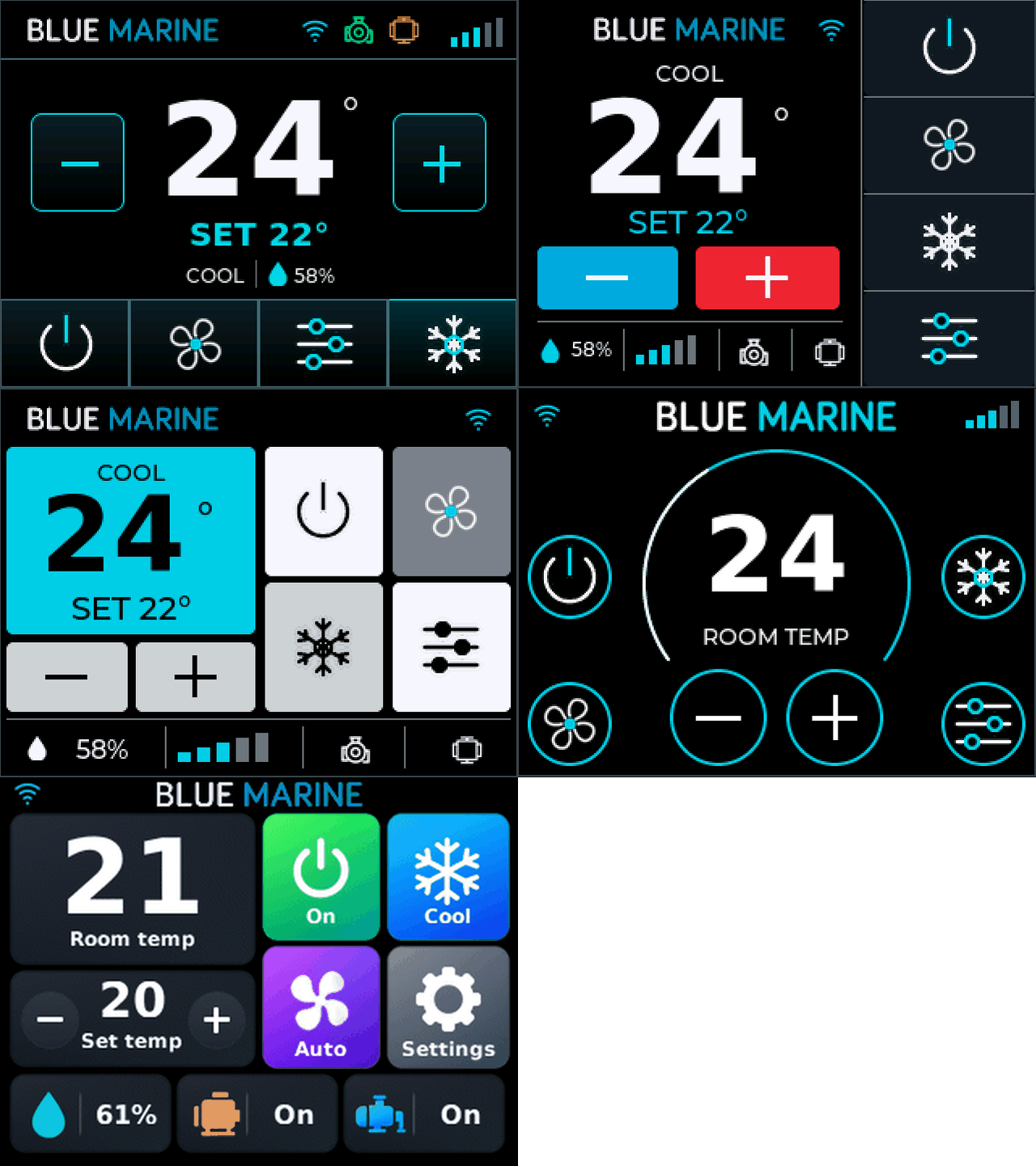
Select Cool, Heat or Fan mode and adjust the set temperature from the home screen.
Five manual speeds plus Auto, with a clear indication of the selected setting.
View cabin temperature, humidity, Wi-Fi connection and compressor and pump status.
Set the cabin temperature before you arrive, change operating mode or fan speed, and see how the system is running while you are away from the vessel. Smart Life brings remote control, fault reporting and live operating status into the same app.
 Smart Life


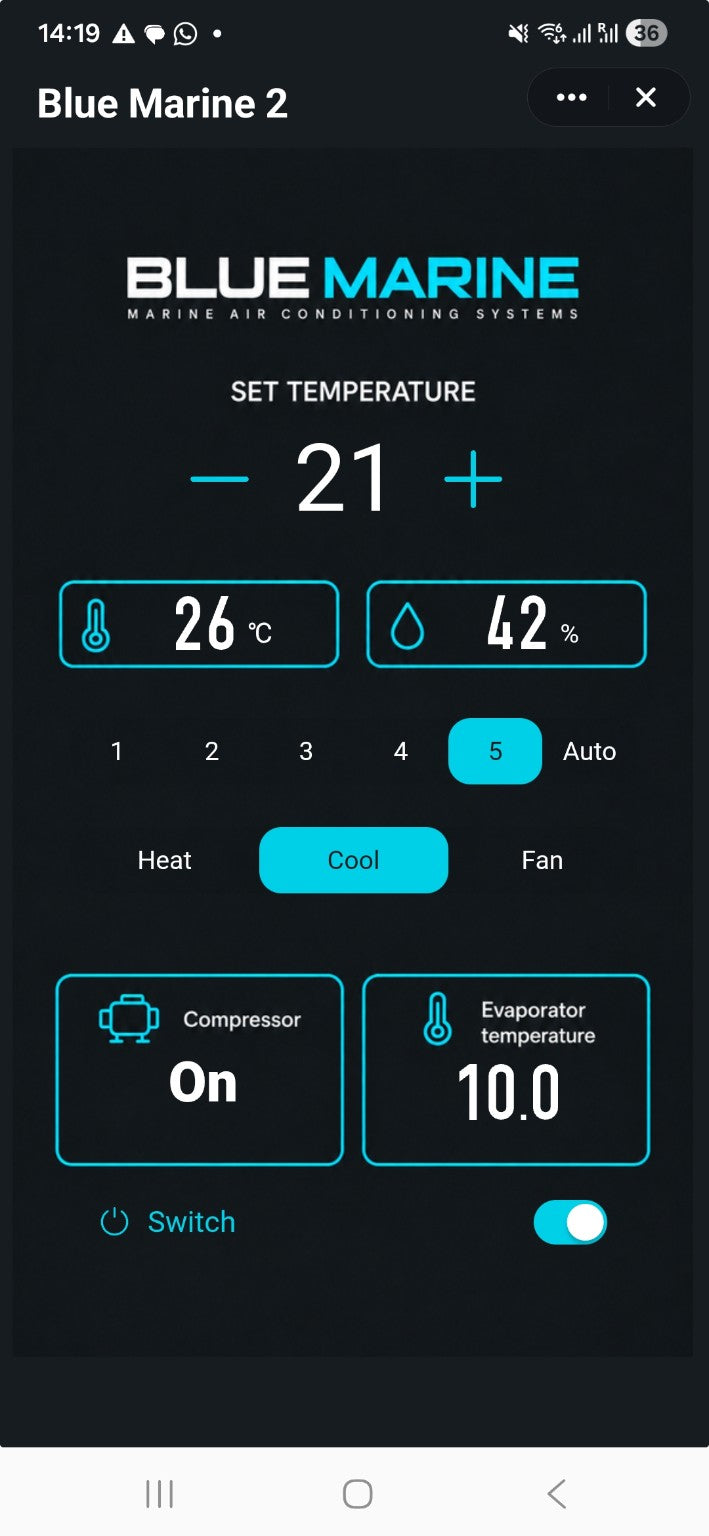
Blue Marine in Smart Life.
Your actual control panel, shown on a phone.
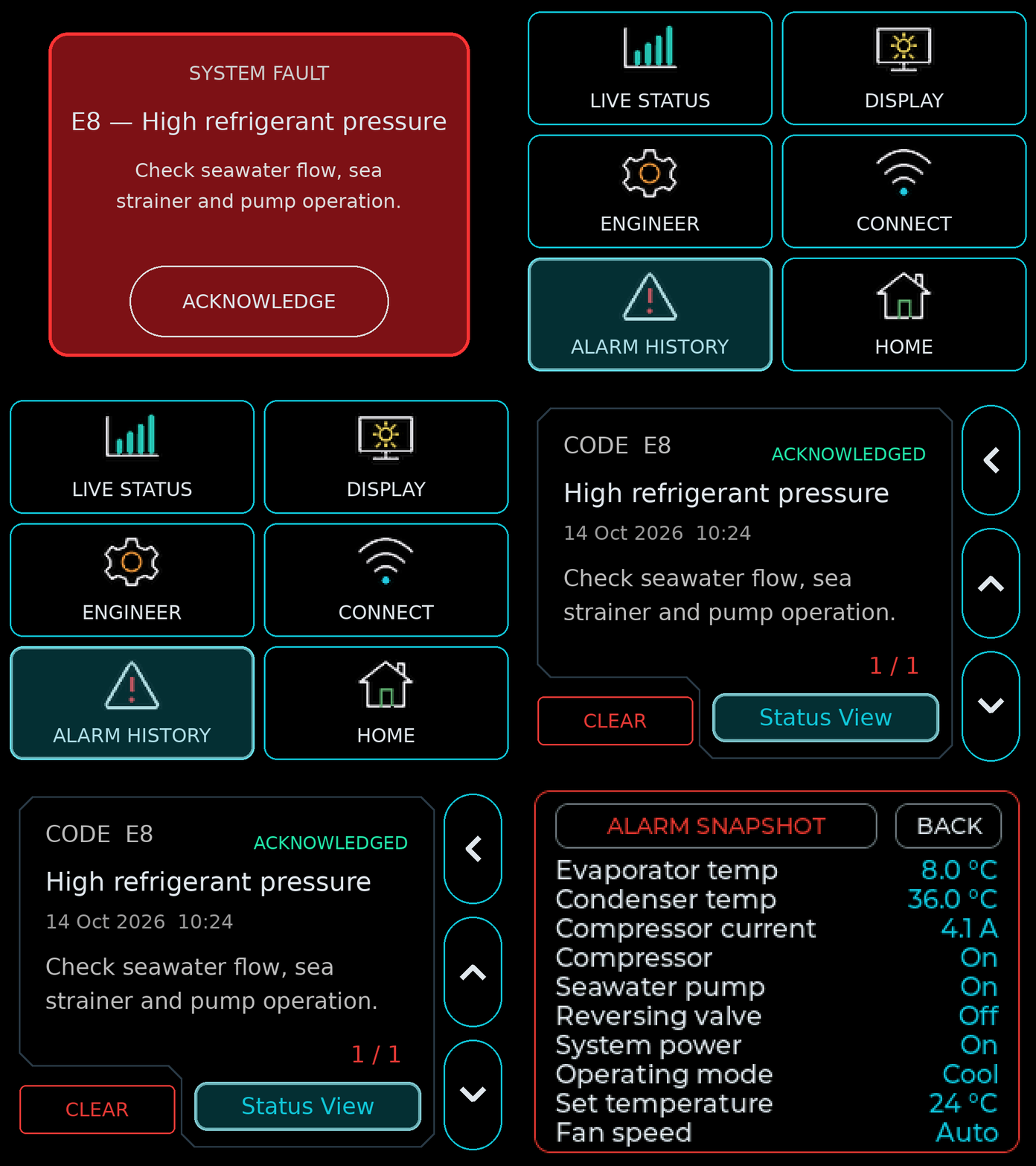
Fault descriptions, saved records and pre-fault operating data.
On-screen fault descriptions and first checks help explain what needs attention.
The latest 20 alarms are saved with acknowledgement status and dates when available. Records survive normal restarts.
Status View opens the operating conditions saved a few seconds before the fault. Temperatures, compressor current and equipment states give your service engineer more context than a fault code alone.
Open the display’s local web portal from your phone or computer for updates and personalisation.
Install approved Blue Marine firmware through your browser. Keep your controller up to date without removing it.
Add a vessel name, logo or favourite image to the startup screen. Personalise the controller for your vessel.
Manage display preferences and Wi-Fi settings, view system status and access diagnostic tools.

Start the Web Portal from the display.
Open it in your phone or computer’s browser.
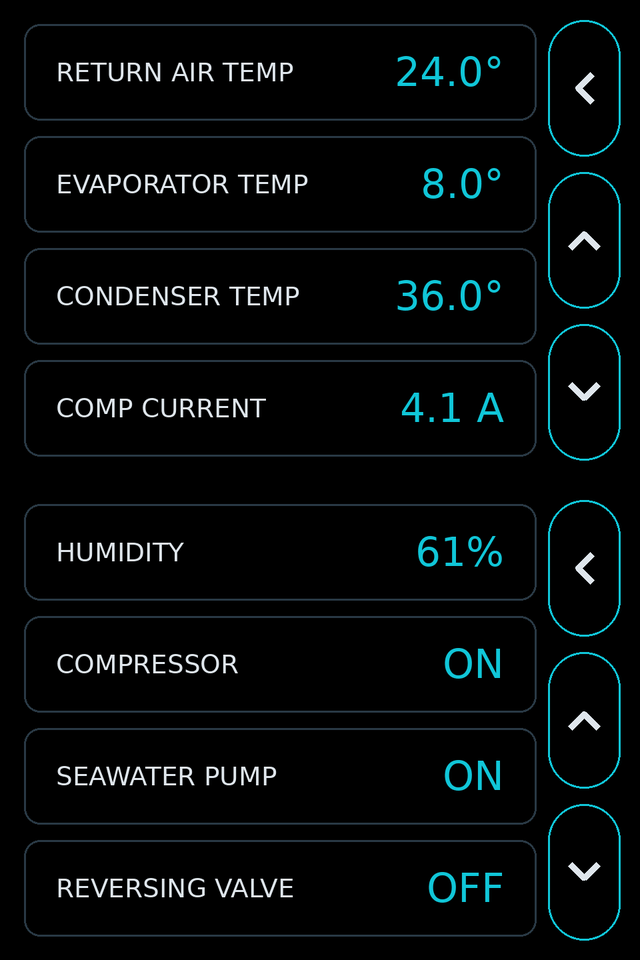
A closer look at the system while it’s running.
View supported return-air, evaporator and condenser temperatures, together with reported compressor current.
Check humidity and the reported compressor, seawater pump and reversing-valve states.
See how the system is behaving before arranging a service visit. Share the readings with your engineer, and use diagnostic logs from the portal to support troubleshooting.
Contact Blue Marine for product selection, replacement installations or dealer enquiries worldwide.